2026 · Live · free download

Mac PowerTools
A free, 1 MB menu bar app for macOS: screenshots to the clipboard, OCR, pinned screenshots, AI text actions, clipboard history, and window shortcuts.
- macOS
- Swift
- On-device ML
Screens and demos
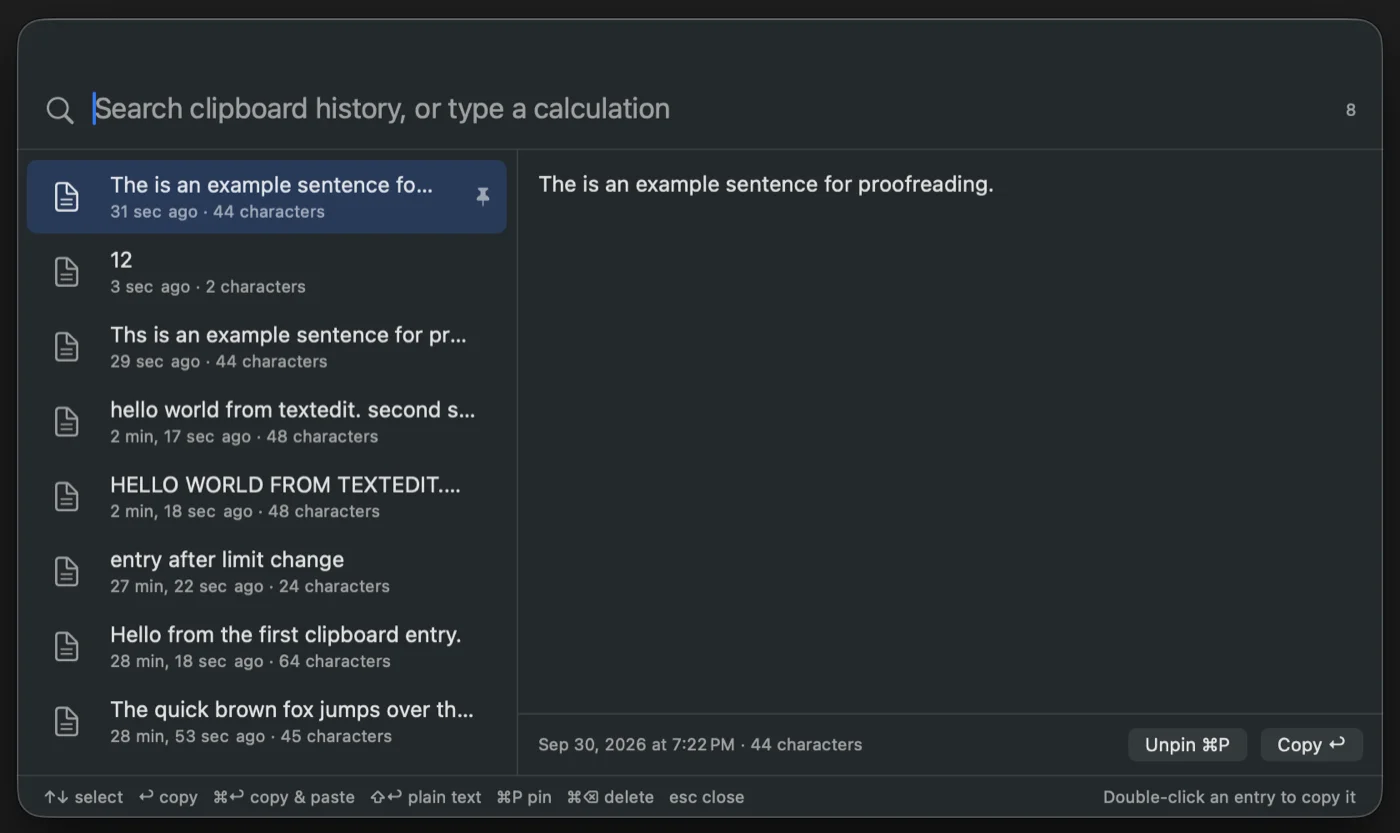
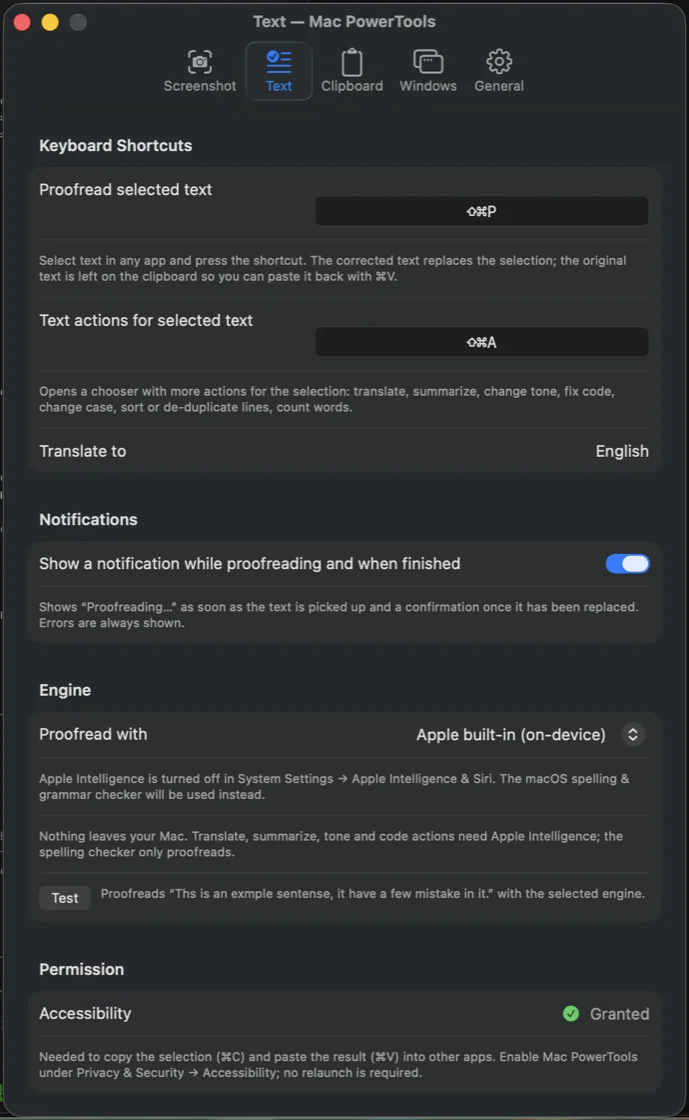
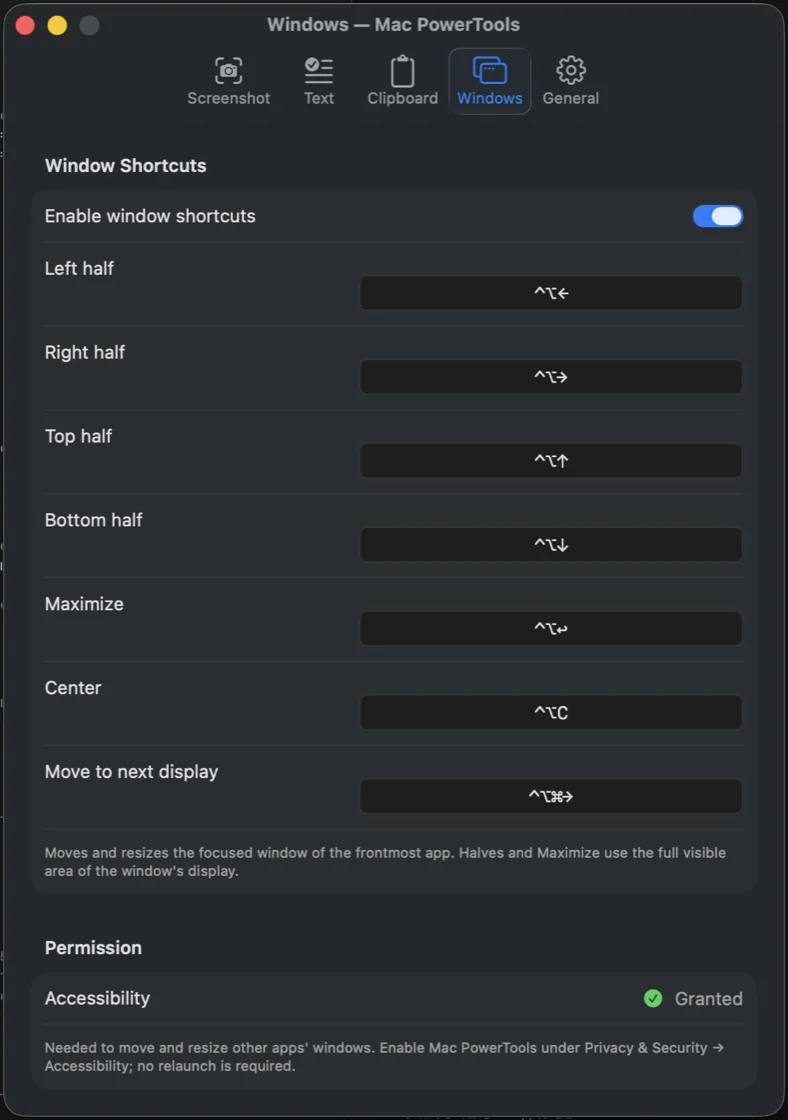
Mac PowerTools is a small menu bar utility for macOS. It bundles the handful of things I reach for a dozen times a day behind global shortcuts that work in any app, including full-screen ones: screenshot to the clipboard, screenshot to text, a pinned floating screenshot, proofreading and other text actions on the current selection, a searchable clipboard history with a calculator, and window snapping.
- Platform
- macOS 13 or later, universal binary for Apple silicon and Intel
- Built with
- Swift, AppKit and SwiftUI, Vision OCR, Foundation Models
- Size
- 1.2 MB download, no installer, no helper daemon, no analytics
- AI engine
- Apple Intelligence on-device by default; optional OpenAI-compatible or local models
- Price
- Free, with no Pro tier
- Status
- Signed and notarized, available from the website
Six tools, one menu bar icon
- Screenshot to clipboard (⌘⇧S). The native crosshair and window picker, but the image lands on the clipboard instead of the desktop.
- Screenshot to text (⌘⇧O). Capture any text on screen and get it back as editable text, recognized on-device with Apple's Vision framework.
- Pinned screenshot (⌘⇧2). A capture that floats above every window as a reference.
- Proofread (⌘⇧P). Select text in any app and replace it with the corrected version. The original stays on the clipboard, so ⌘V undoes the change.
- Text actions (⌘⇧A). Translate, summarize, change tone, fix code, change case, sort or de-duplicate lines, and count words from a Spotlight-style chooser.
- Clipboard history (⌘⇧C). Search text, images, and files you copied, pin favorites,
paste as plain text, or type
15% of 80and10 km to mifor an instant answer. - Window shortcuts (⌃⌥ arrows). Halves, maximize, center, or move the focused window to the next display.
How it works
The app registers global hotkeys and drives the frontmost app with synthesized ⌘C and ⌘V, so text actions work in every app that supports copy and paste. Screenshots, OCR, history, and the calculator never touch the network. AI actions use Apple Intelligence when it is available, fall back to the macOS spelling and grammar checker when it is not, and can be pointed at OpenAI, any OpenAI-compatible endpoint, or a local Ollama or LM Studio server. API keys live in the Keychain, and clipboard content that password managers mark as concealed is never recorded.